Your best ideas arrive at the worst possible moment.
Driving. Falling asleep. Halfway through a sentence with someone else. By the time you could write it down, it's gone — and you're left with only the maddening shape of it. What was I thinking?
One press. Say it. It's kept.
Press your wrist
Raise your watch and press the side button. No unlocking, no app-hunting, no typing — capture starts the instant the thought does.
Just talk
Speak the idea however it comes out — messy, half-formed, rambling. The jar fills as you talk, so you can see it landing.
Sealed & safe
Press again and the jar seals. It's saved on your watch immediately and syncs to your iPhone when it can.
Where the thoughts land.
The watch catches it in a second. Your iPhone is where it turns into something you can come back to — read, replay, and act on.
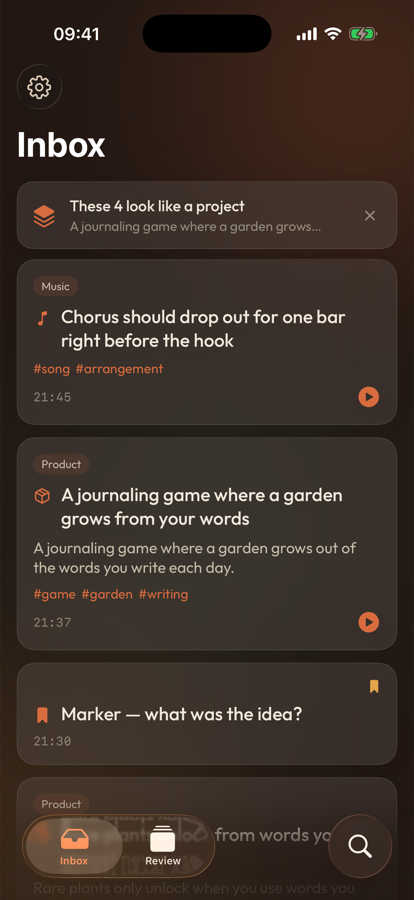
Tonight's sparks, in one place
Everything you caught today lands in one calm feed. When a few thoughts start to rhyme, it quietly says so.
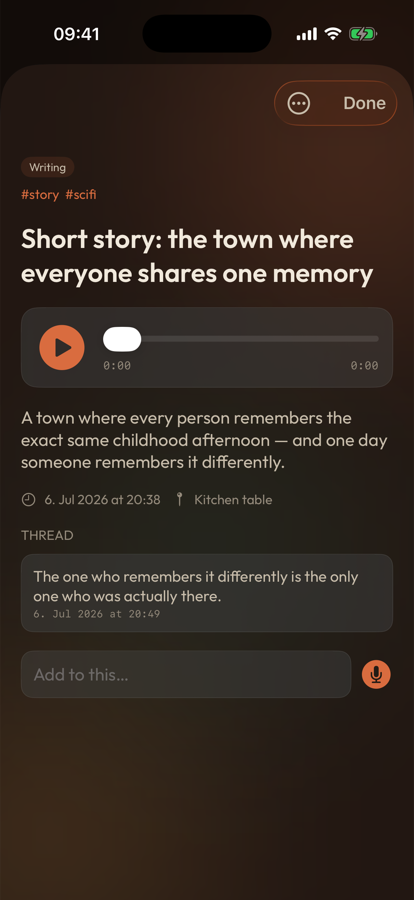
Kept whole, not flattened
The original audio, a tidied transcript, and where you were — each idea stays a living thread you can keep adding to.
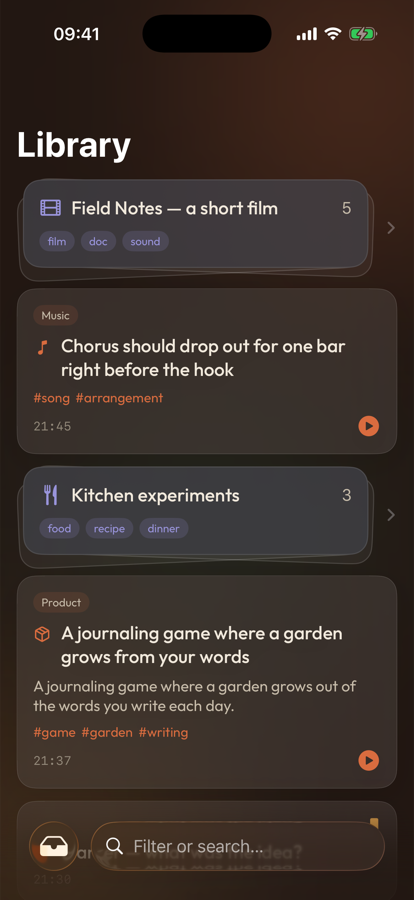
Scattered notes become projects
Related sparks gather themselves into projects on their own, so the shape of what you're making surfaces — no filing required.
It doesn't just sit there.
On your iPhone, an on-device AI cleans up the transcript, learns the words you actually use, and quietly groups related thoughts — so scattered sparks turn into projects you can actually act on.
Wrist-first capture
Built for the watch, not shrunk down to it. The fastest path from thought to kept.
Works offline
No signal needed. It records and saves on the watch, then syncs when your phone's around.
Cleans itself up
An on-device model tidies the transcript and learns your personal vocabulary over time.
Finds the threads
Related ideas cluster into projects on their own, so patterns surface without filing.
Stays private
Processing happens on your devices. Your half-baked thoughts are nobody else's business.
Answer from the lock screen
A marker can nudge you later — reply straight from a notification, no need to reopen the app.